Setup the Arduino IDE
Software and Prerequisites
Section titled “Software and Prerequisites”- Arduino IDE 1.6.4 or later
- Working internet connection
Installation Steps
Section titled “Installation Steps”-
First, we need to download the Arduino IDE, which can be done from the Arduino Software page.
-
Install the Arduino IDE on your local machine.
-
Open the Arduino IDE.
-
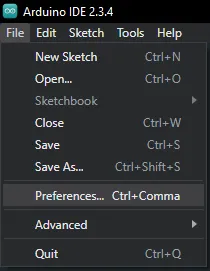
Navigate to Preferences
- File > Preferences (Windows/Linux)
- Arduino > Preferences (macOS)
-
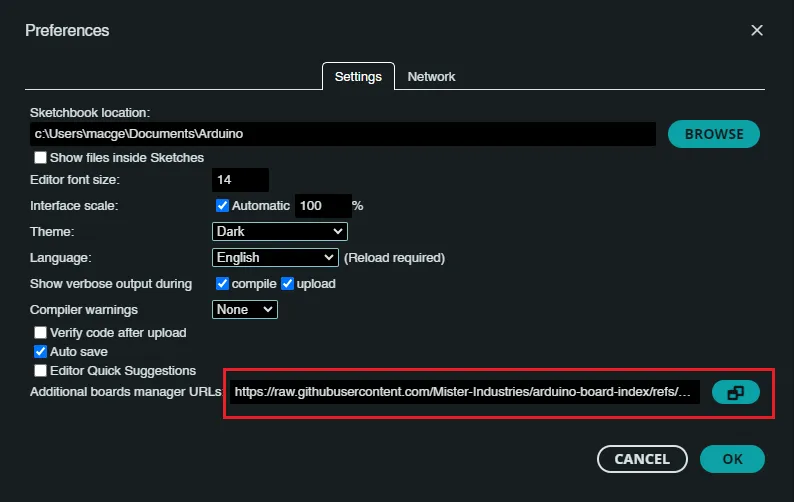
Add Custom Board Manager URL
- In “Additional Board Manager URLs” field, paste:
https://raw.githubusercontent.com/Mister-Industries/arduino-board-index/refs/heads/main/package_tiny_core_index.json
For multiple URLs, separate with commas
- In “Additional Board Manager URLs” field, paste:
-
Open Board Manager
- Tools > Board > Boards Manager
- Or press the Boards Manager Icon on the left menu:

-
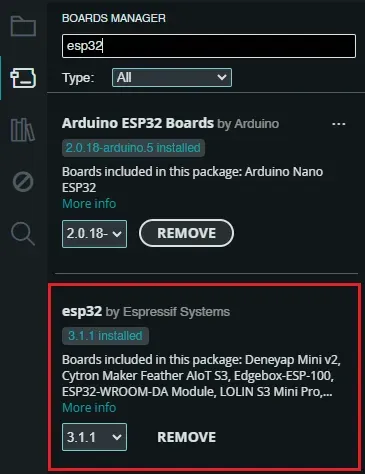
Install ESP32 Boards/Tools
- Search for
esp32 - Select
esp32package (v3.1.1) by Espressif - Click “Install”
- Search for
-
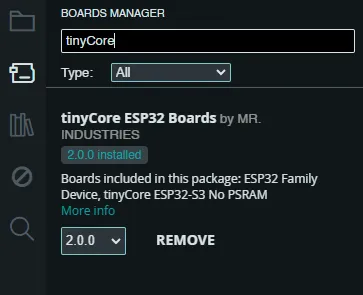
Install tinyCore Custom Board
- Search for
tinyCore - Select
tinyCore ESP32 Boardspackage (v2.0.0) by MR.INDUSTRIES - Click “Install”
- Search for
-
Plug in your tinyCore via the included USB-C Cable!
-
Under the devices tab, you should see a new device appear. Click
Select other board and port...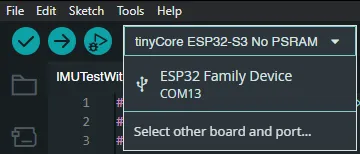
-
Search “tinyCore” and select
tinyCore ESP32-S3 No PSRAMand click on the COM Port of the new device. Click OK.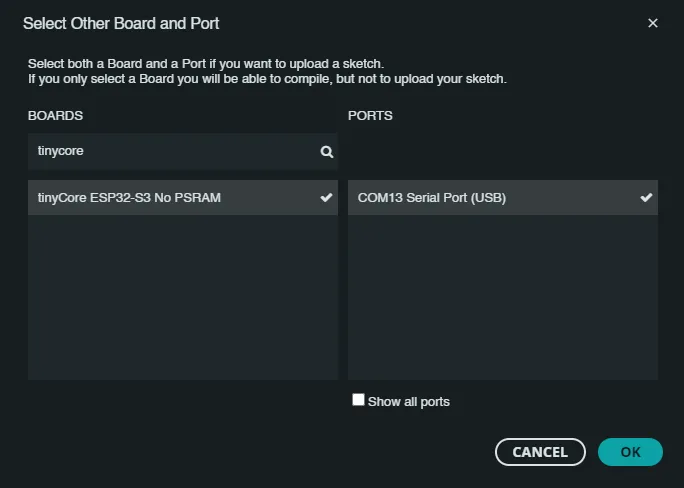
-
Now, open the Blink Example by navigating to
File -> Examples -> 01.Basics -> Blink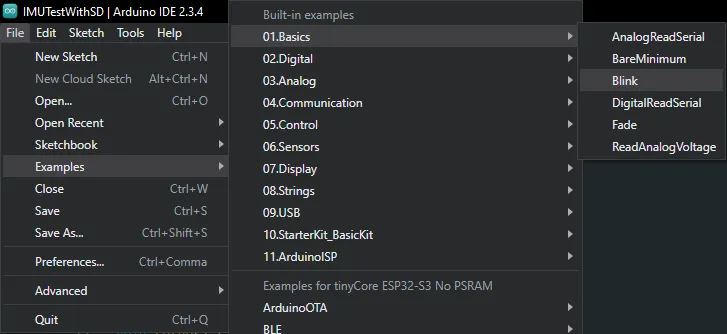
-
Under
Tools, make sure that:- Upload Mode is set to
UART0 / Hardware CDC - USB Mode is set to
Hardware CDC and JTAG
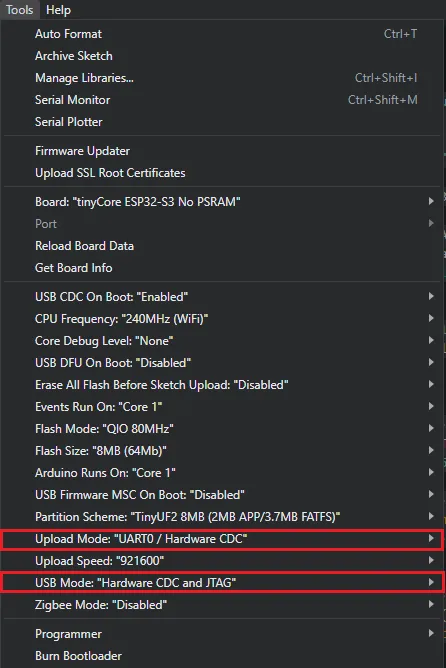
- Upload Mode is set to
-
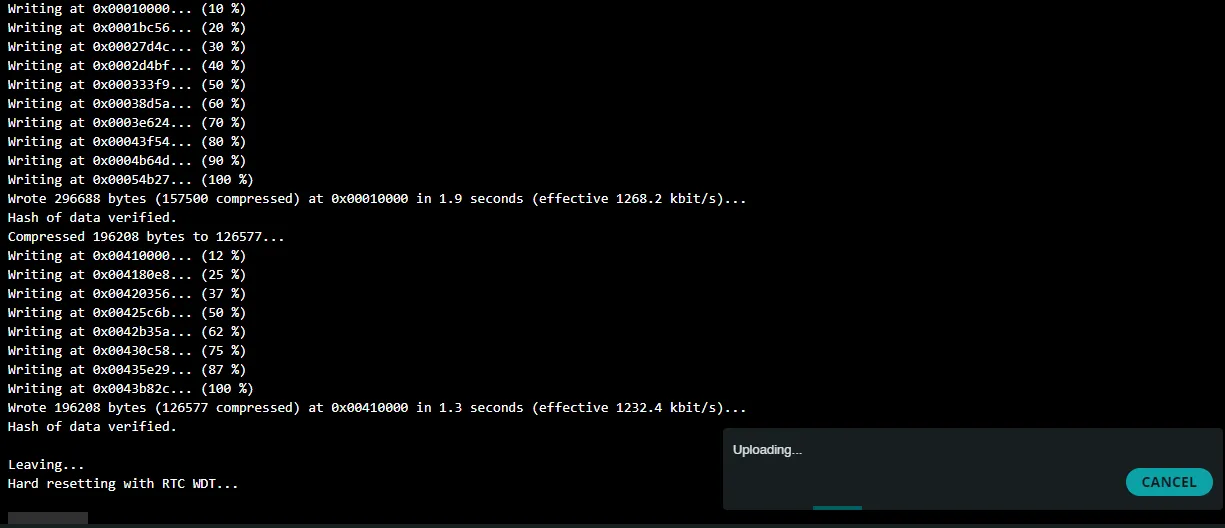
Click Upload!
The code should compile and you should see the device flash and hard reset.
The
SIGLED should now be blinking once every second!
Congrats! You’re ready to start building!
Section titled “Congrats! You’re ready to start building!”Troubleshooting
Section titled “Troubleshooting”-
Verify URL is correct and accessible
-
Check internet connection
-
Restart Arduino IDE if installation fails
-
Ensure you have the latest Arduino IDE version